The Shopify wishlist app
built for Klaviyo.
Looking for a Shopify wishlist app with a real Klaviyo integration? Most apps just fire an event and walk away. WishList Ninja writes a live, real-time wishlist feed onto every Klaviyo profile — and hands you seven revenue triggers to build flows on.
has_active_wishlist, wishlist count and value onto each Klaviyo profile and firing 7 flow triggers including Price Drop and Back in Stock. Setup takes about 5 minutes with no code; plans run $19–$249/month with a 30-day free trial.
Properties your segments can read.
A full set of namespaced properties on every profile — live count, value, items, alert flags and consent — kept live and accurate in real time. "Wishlist value over $150 and has_active_wishlist is YES" becomes a one-click segment.
Seven triggers, ready for flows.
Each event lands with product, image, price, currency, $value for revenue attribution — and a manage-wishlist link so customers stay in control. Build the flow once; WishList Ninja keeps it fed.
Every wishlister, known.
Wishlists are account-backed — shoppers sign up to save, so every wishlist maps to a real Klaviyo profile. More account signups for your store, zero anonymous ghost data in your account.
Flows that print money.
"The jacket you saved just dropped 20%." "Only 3 left of your wishlist pick." "It's back — and going fast." High-intent triggers, automatic product blocks, revenue attributed in Klaviyo's own reporting.
How do you connect a Shopify wishlist to Klaviyo?
No developer and no code — the Klaviyo integration is a one-key connect, and data starts syncing instantly. Prefer the long version? Read the complete Klaviyo wishlist integration guide → or the 7 Klaviyo wishlist flows to build →
Install WishList Ninja
Add WishList Ninja free from the Shopify App Store and switch on the app embed — the wishlist goes live on your storefront in one click.
Paste your Klaviyo API key
In Klaviyo: Settings → API keys → Create Private API Key, copy it, and paste it into the WishList Ninja dashboard. Live profile properties and the 7 wishlist events start writing to every matched Klaviyo profile immediately.
Build your flows
Segment on has_active_wishlist and wishlist_value, and trigger flows on Price Drop, Back in Stock and Low Stock. Build once — WishList Ninja keeps them fed.
Build your Klaviyo flows
Seven wishlist triggers, one flow each — here’s the exact setup and the dynamic tags to drop into your emails.
- 1Create the flow
Klaviyo → Flows → Create Flow → Create From Scratch. Name it, e.g. “Wishlist price drop”.
- 2Set the trigger
Pick Metric as the trigger, then choose the wishlist metric from the table below.
- 3Add an email
Add an Email action under the trigger and open the editor.
- 4Add dynamic content
Use the event tags below for the exact product, price and links — e.g. set an image block’s source to
{{ event.product_image }}and a button link to{{ event.product_url }}. - 5Go live
Switch the flow from Draft to Live.
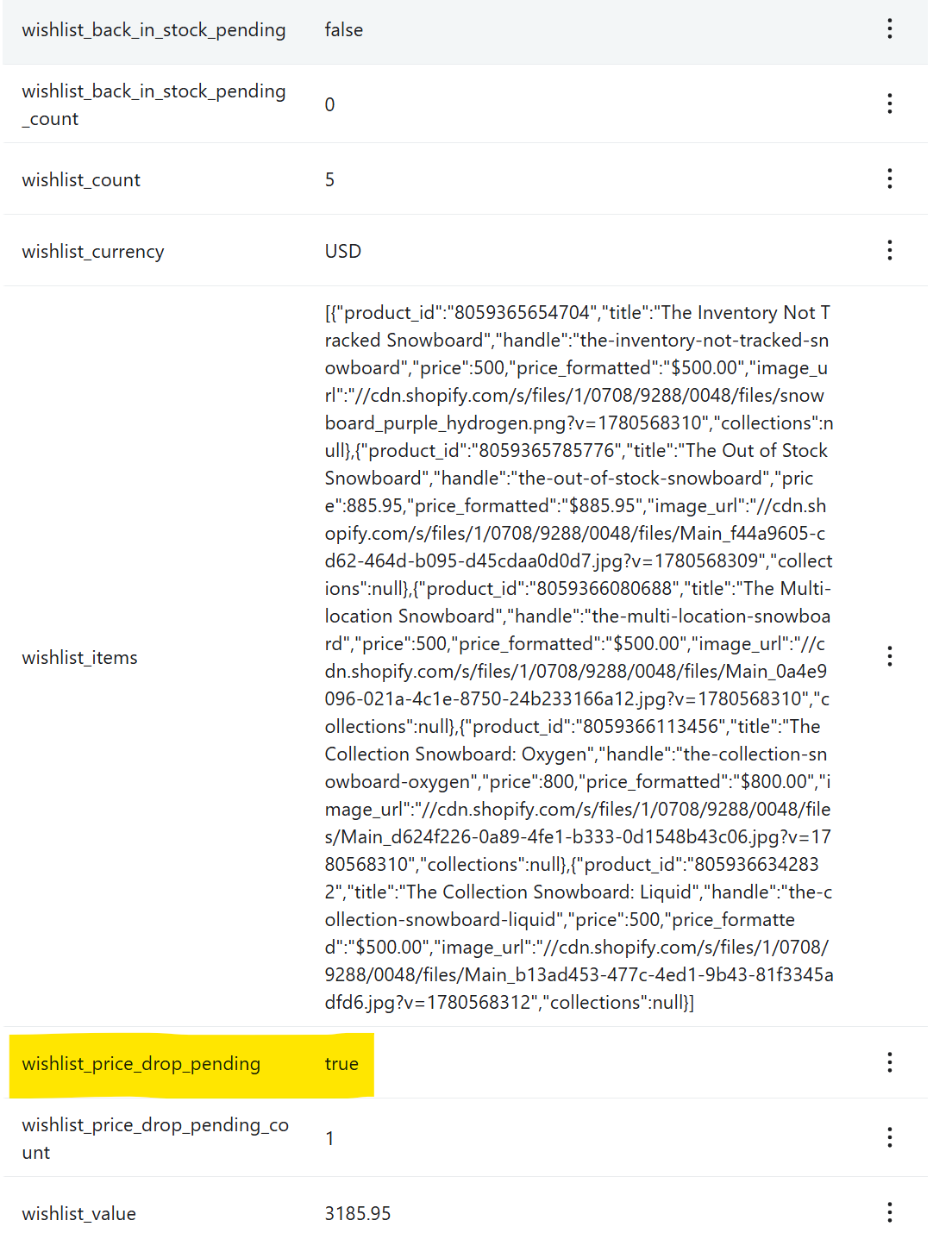 Live wishlist data on every Klaviyo profile — segment and trigger on this.
The 7 triggers
| Wishlist trigger | Klaviyo metric |
|---|---|
| Added to Wishlist | Added to Wishlist |
| Price Drop & Sale | Wishlist Item Price Drop |
| Low Stock | Wishlist Item Low Stock |
| Back in Stock | Wishlist Item Back in Stock |
| Saved a Collection | Wishlist Collection Saved |
| New Items in a Saved Collection | Wishlist Collection New Items |
Dynamic content for your emails
| Tag | Shows |
|---|---|
{{ event.product_name }} | The product they saved |
{{ event.product_image }} | Product image — use in an image block |
{{ event.product_url }} | Link to the product |
{{ event.price_formatted }} | Price with symbol, e.g. $400.00 |
{{ event.currency_symbol }} | Just the symbol ($ €) |
{{ event.collections }} | Collection name(s) the product is in |
{{ event.manage_wishlist_url }} | One-click “manage your wishlist” link |
{{ event.old_price_formatted }} · {{ event.new_price_formatted }} · {{ event.drop_percent }} | Price Drop & Sale flow only (covers sales / compare-at discounts) |
{{ event.stock_remaining }} | Low Stock flow only |
{{ event.stock_now }} | Back in Stock flow only |
{{ event.collection_name }} · {{ event.collection_url }} · {{ event.new_items_count }} | Saved a Collection & New Items in a Saved Collection flows |
{{ person.wishlist_count }} · {{ person.wishlist_value }} · {{ person.has_active_wishlist }} | Profile data — for segments & conditions |
The flow emails, built for you
Each email built in Klaviyo, with the copy & tags to recreate it.
{{ event.product_image }}; button link → {{ event.product_url }}; footer → {{ event.manage_wishlist_url }}.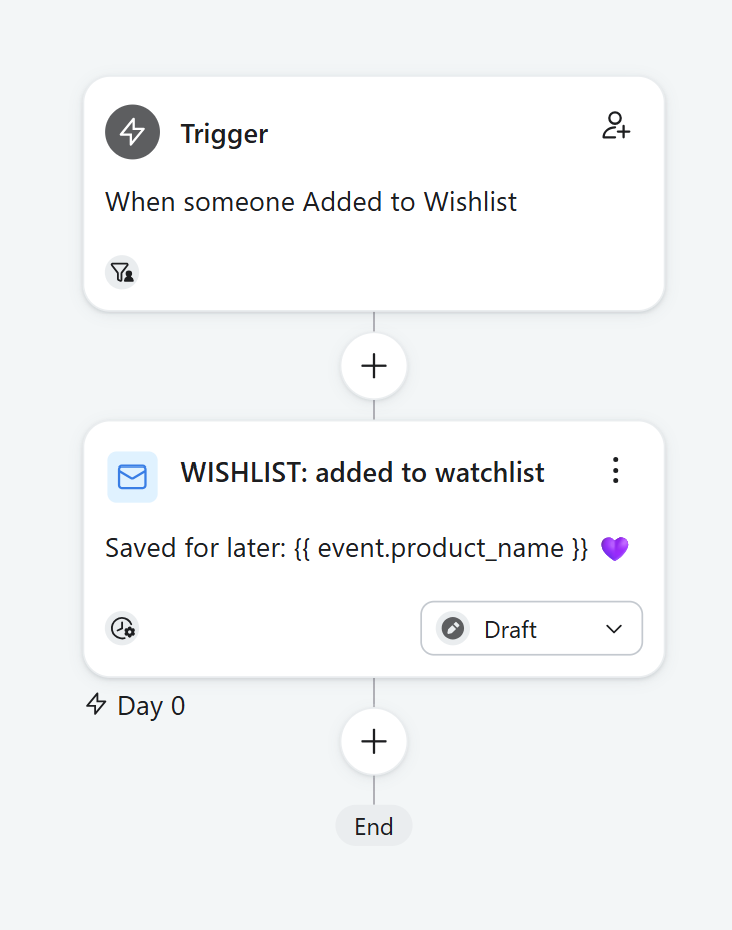
{{ event.product_url }}.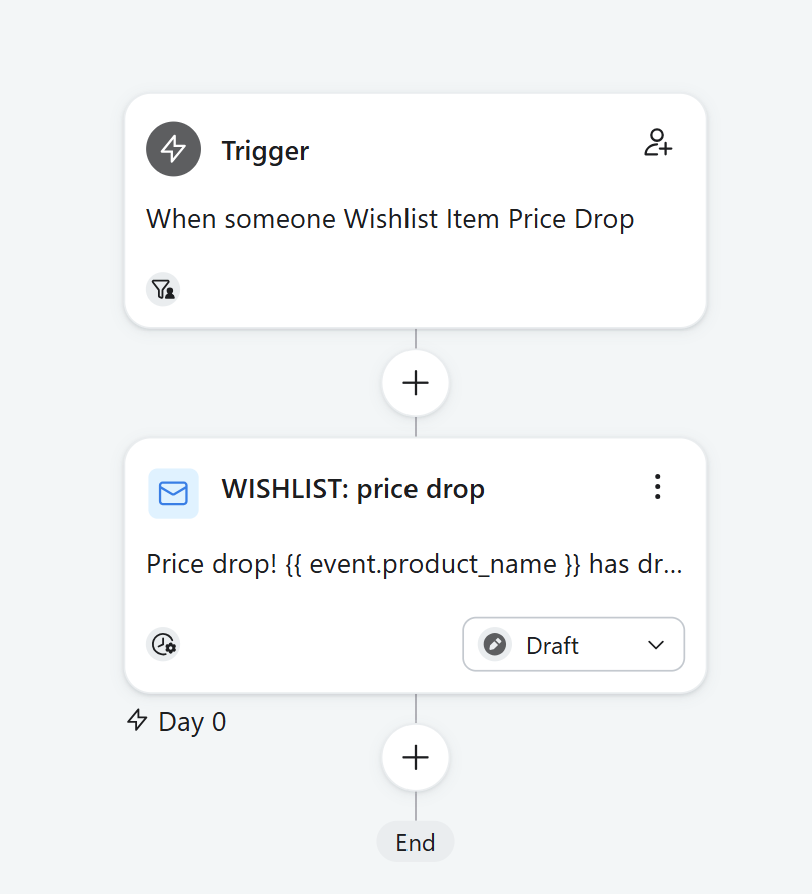
{{ event.product_url }}.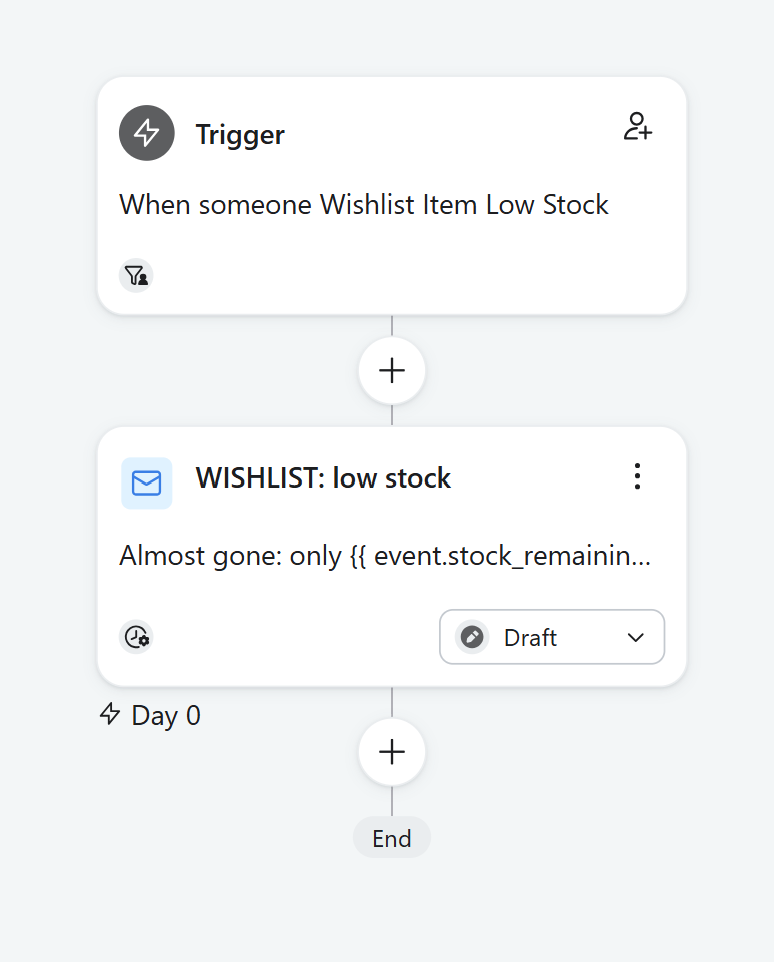
{{ event.product_url }}.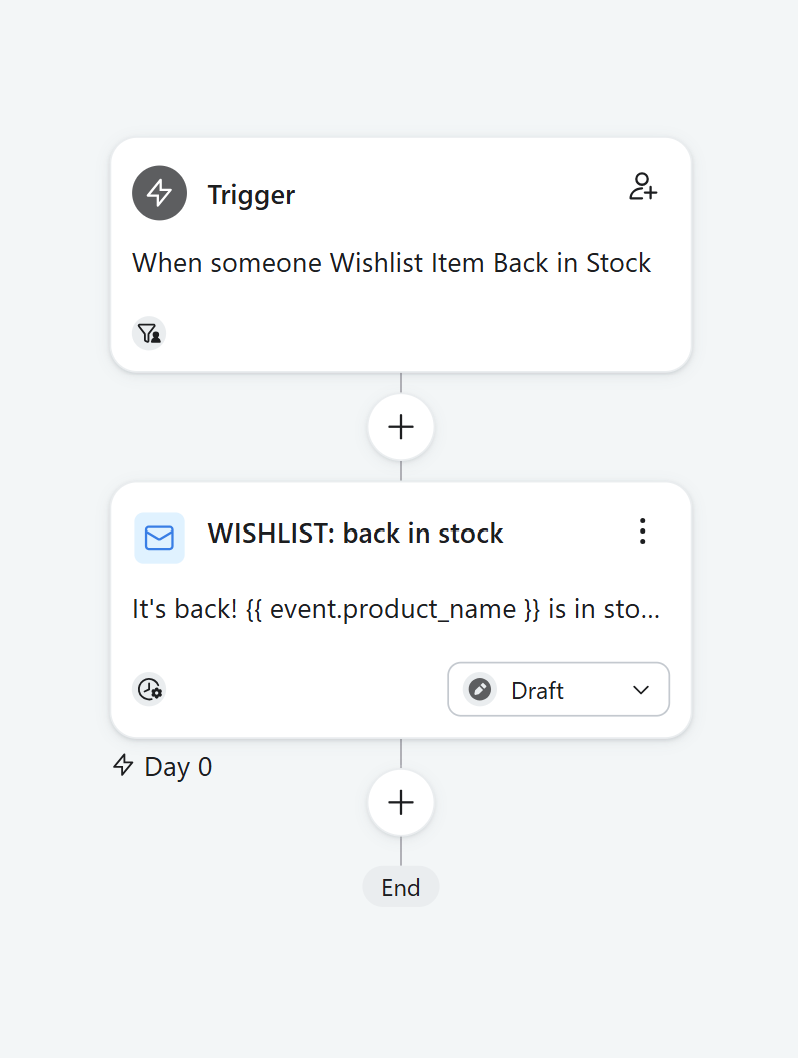
{{ event.collection_url }}.
{{ event.collection_url }}.
Segments & newsletter blocks
The same wishlist data powers Klaviyo segments and a personalised block in your regular newsletters — show it only to shoppers who have a wishlist:
{% if person.has_active_wishlist %}
You’ve saved {{ person.wishlist_count }} item(s) worth {{ person.wishlist_value_formatted }}. [ button → their wishlist ]{% else %}
Found something you love? Start your wishlist…{% endif %}
Because has_active_wishlist is live true/false on every profile, just set a block’s conditional display to show only when has_active_wishlist is true — and a “start a wishlist” block for when it’s false. No Liquid.
 Show the wishlist block only when has_active_wishlist is true — set it in the block’s display rules.
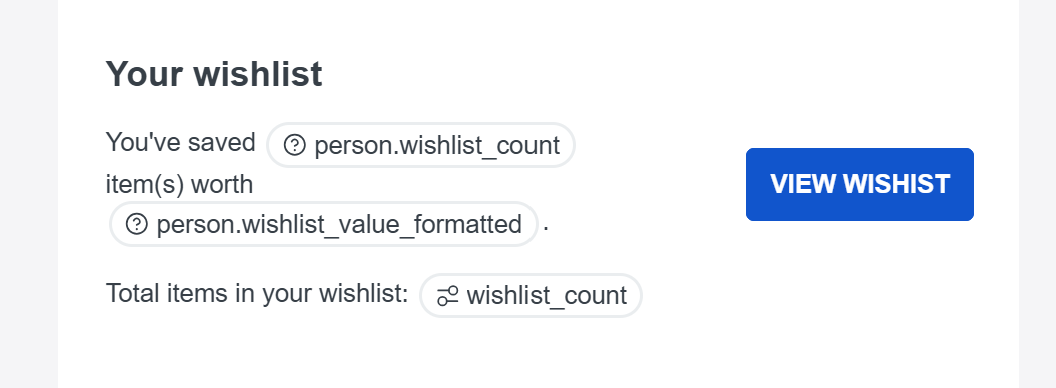 The block, built in your newsletter.
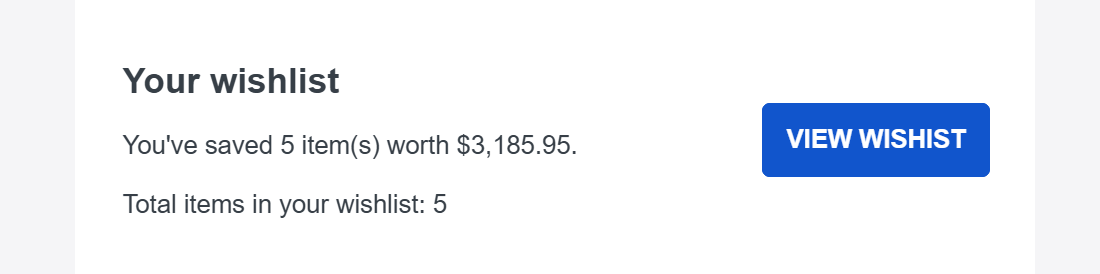 How it renders for a shopper with saved items.
Frequently asked questions
Does WishList Ninja integrate with Klaviyo?
What wishlist data syncs to Klaviyo?
Can Klaviyo send a price-drop email from a wishlist?
How much does the Klaviyo wishlist integration cost?
Which Shopify wishlist apps integrate with Klaviyo?
Plug your wishlist into Klaviyo.
Everything — the wishlist + live Klaviyo sync — free for 30 days, then plans from $19/mo (billed on Shopify). Cancel anytime.
Start Free Trial →